Analyze markets, discover opportunities, build screeners and alerts, test strategies, optimize workflows, and optionally automate execution through your own connected broker. TrendRelay is designed to remain useful even when no execution broker is connected.
TrendRelay is execution and analysis software. It does not guarantee profits. Live trading involves market, execution, leverage and technology risk.
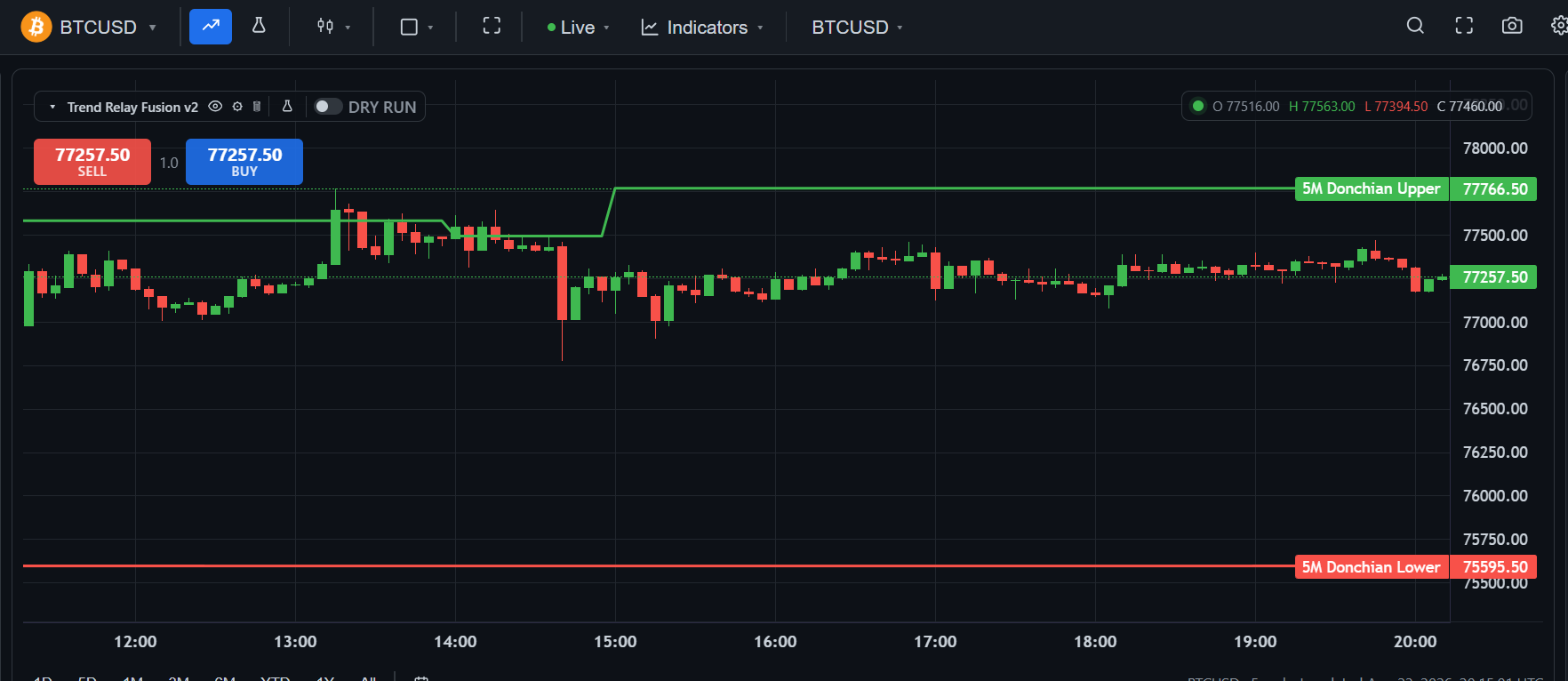
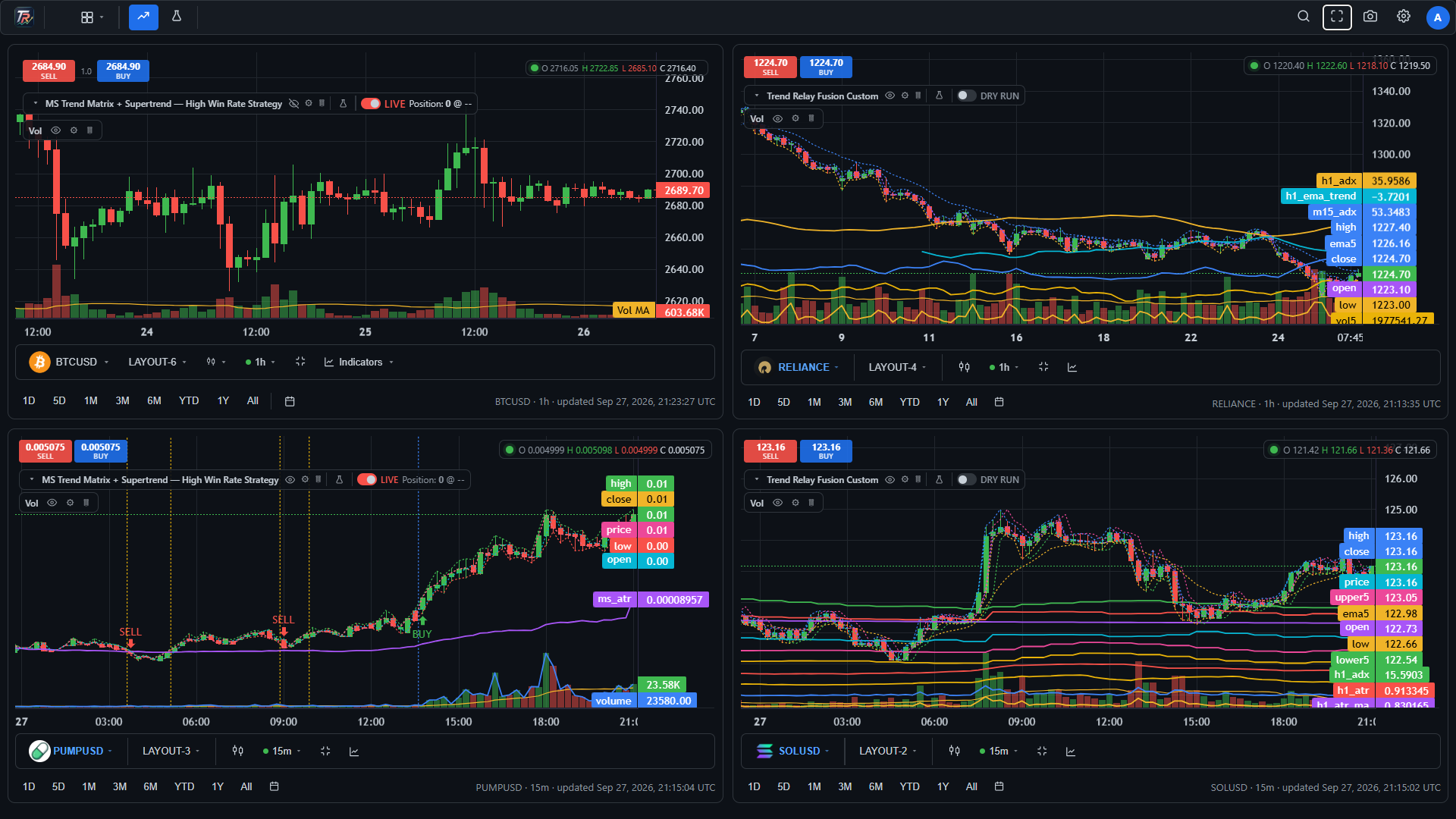
TrendRelay is designed to simplify the operational side of trading: organize charts, apply strategies, evaluate historical behavior, configure risk and automate execution.
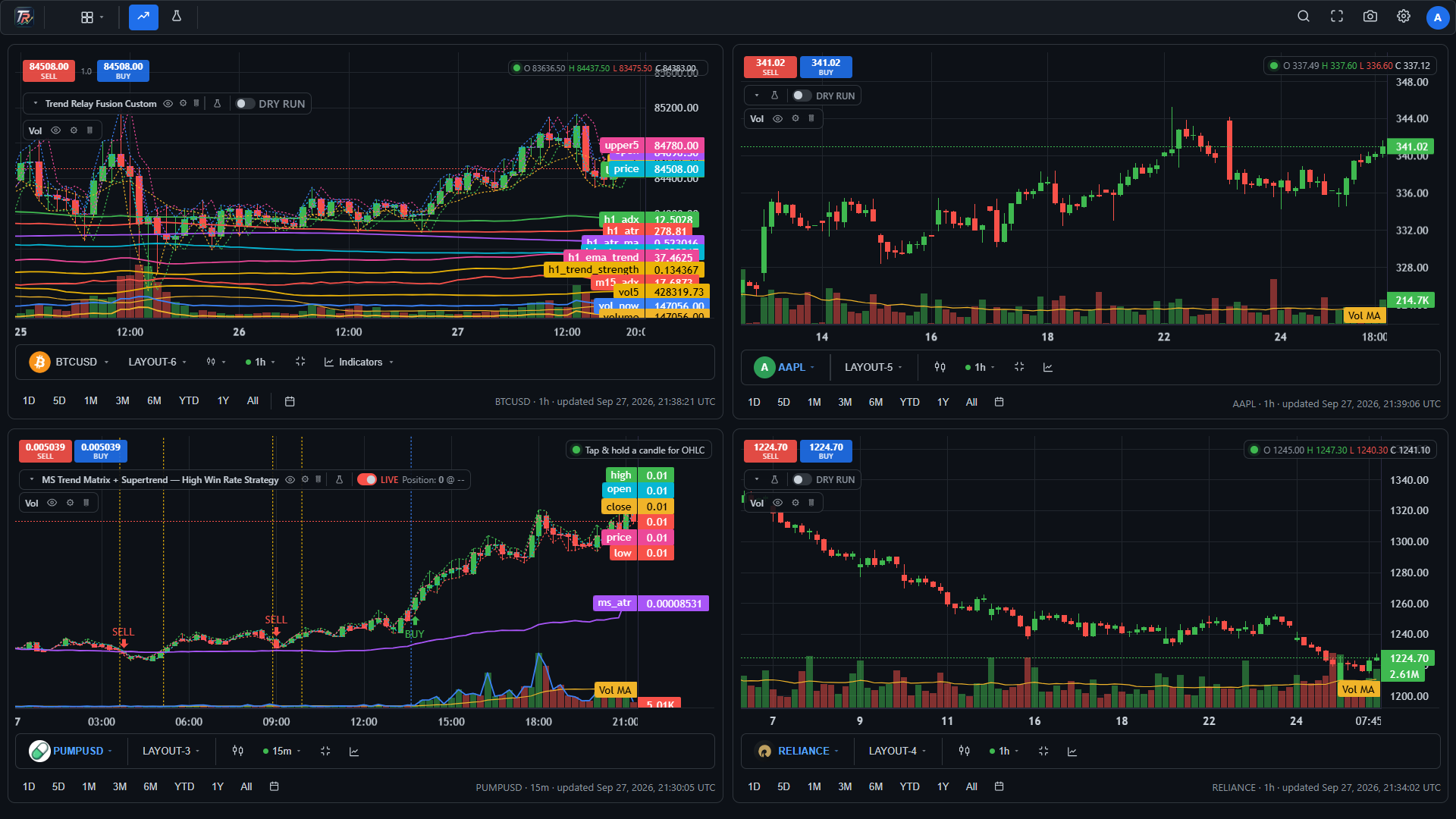
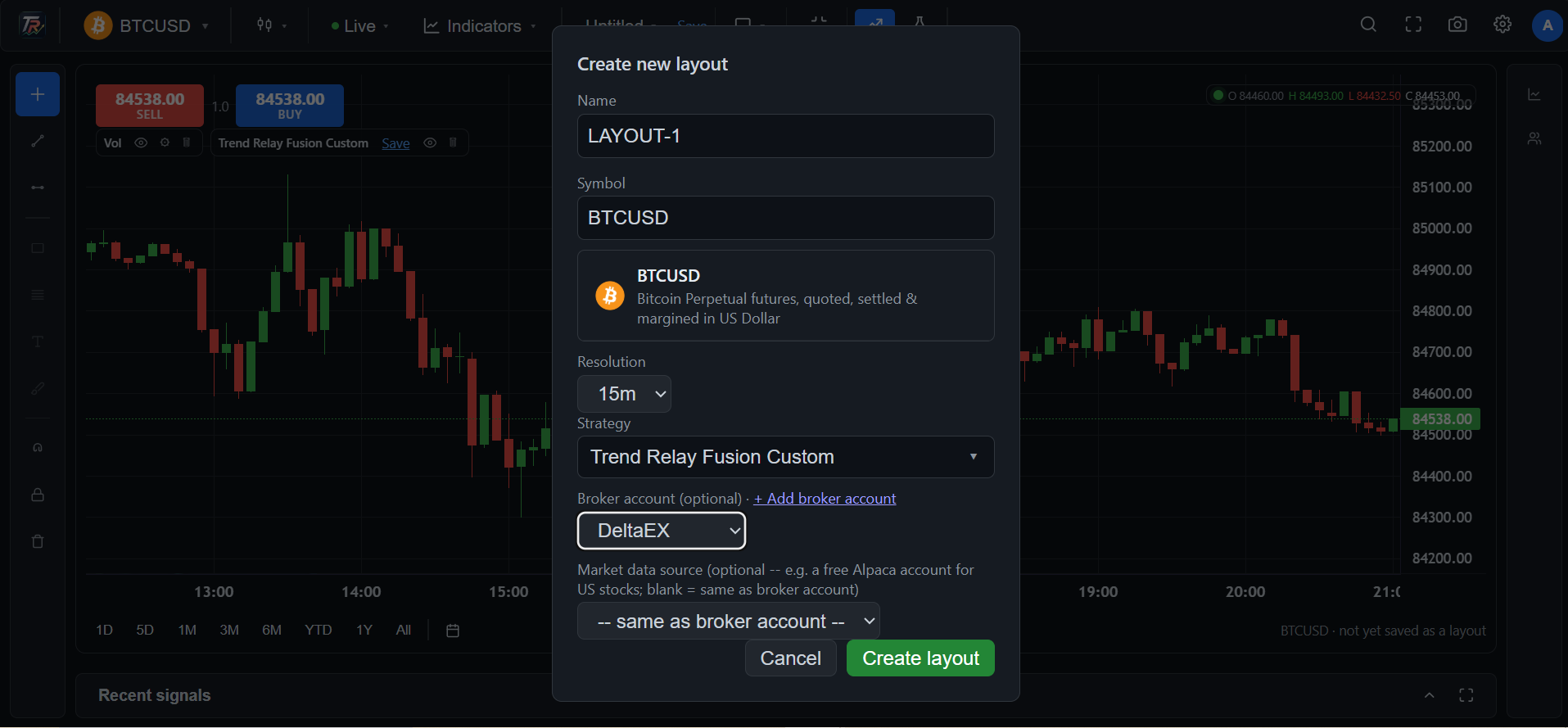
Create multiple layouts and organize separate chart tabs for different strategies, markets or workflows.
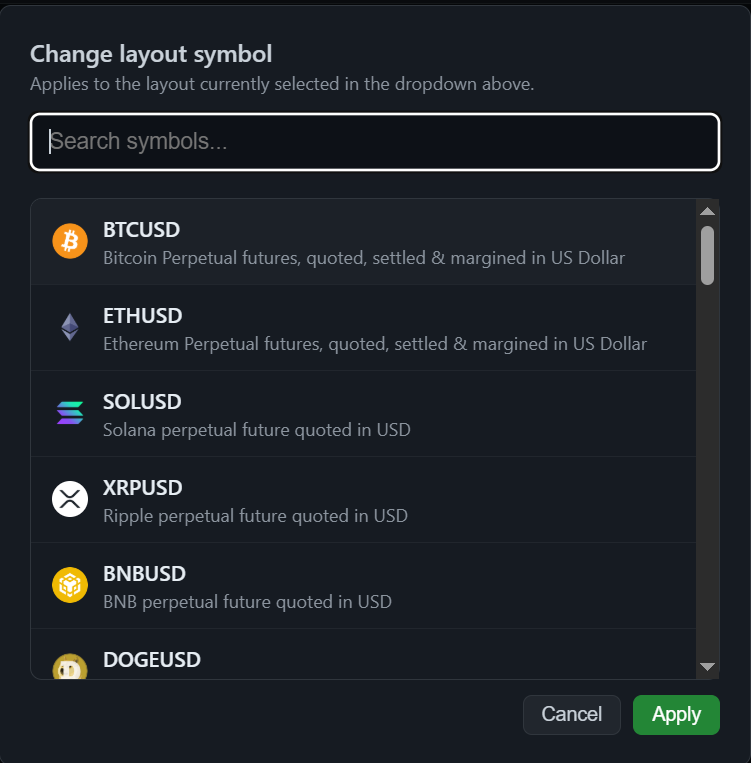
Search the symbol library and add instruments such as BTCUSD, ETHUSD, SOLUSD, XRPUSD, BNBUSD and other available markets to a layout.
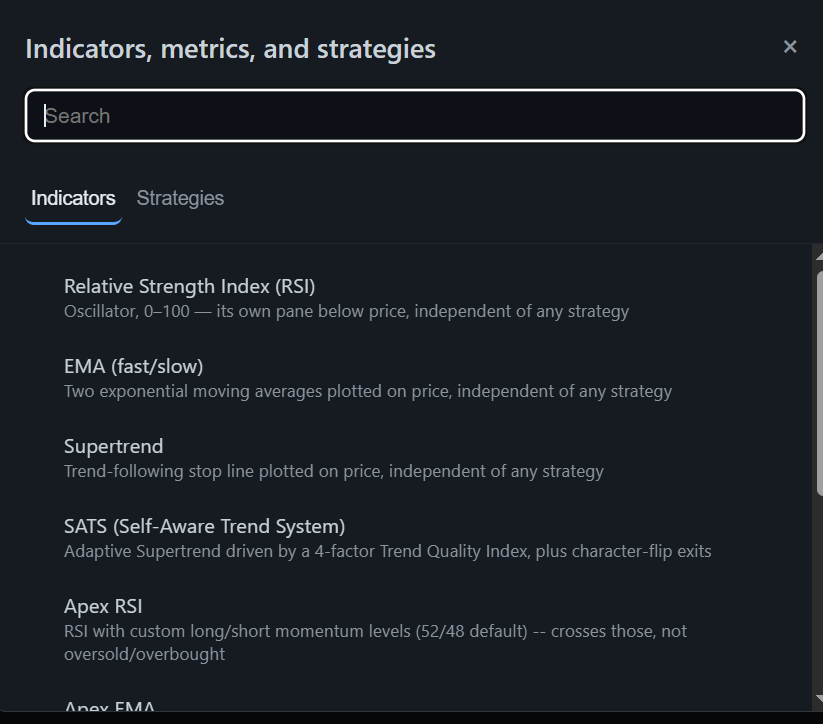
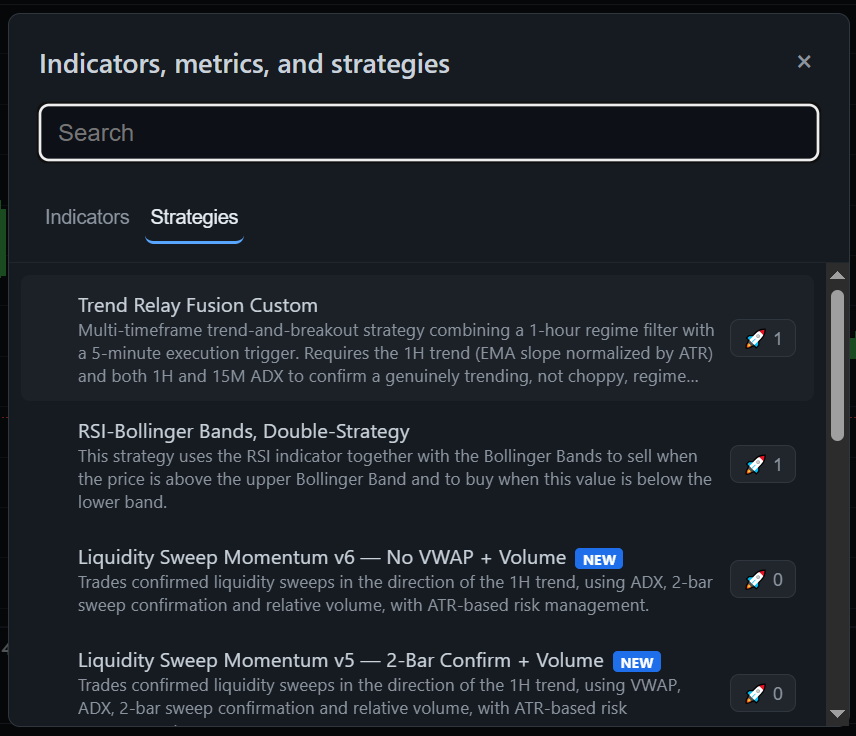
Use the indicator and strategy library to configure the trading logic you want to evaluate or execute.
Use Dry Run to simulate the configured workflow. Switch to Live when you intentionally want configured signals to send real orders through a connected broker.
Once enabled, the configured strategy can continue processing execution signals while you are away or asleep, subject to broker, exchange and connectivity conditions.
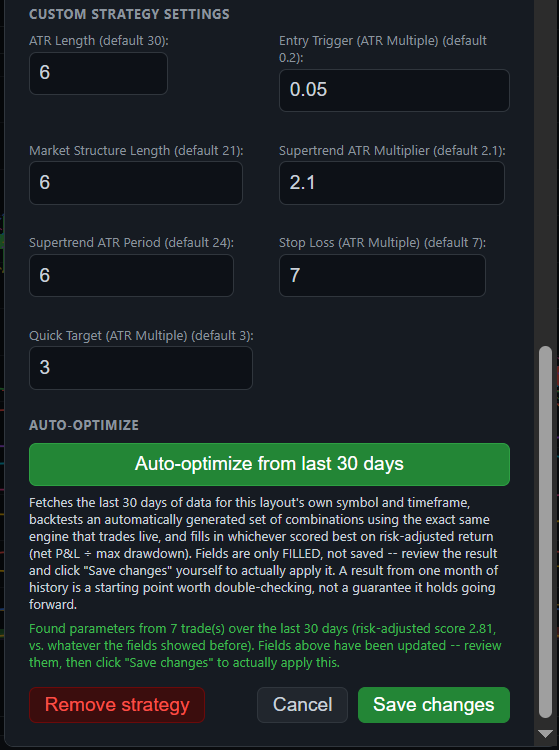
Evaluate trade execution settings using the latest 30 days of available data and use the resulting configuration as a starting point for your own review.
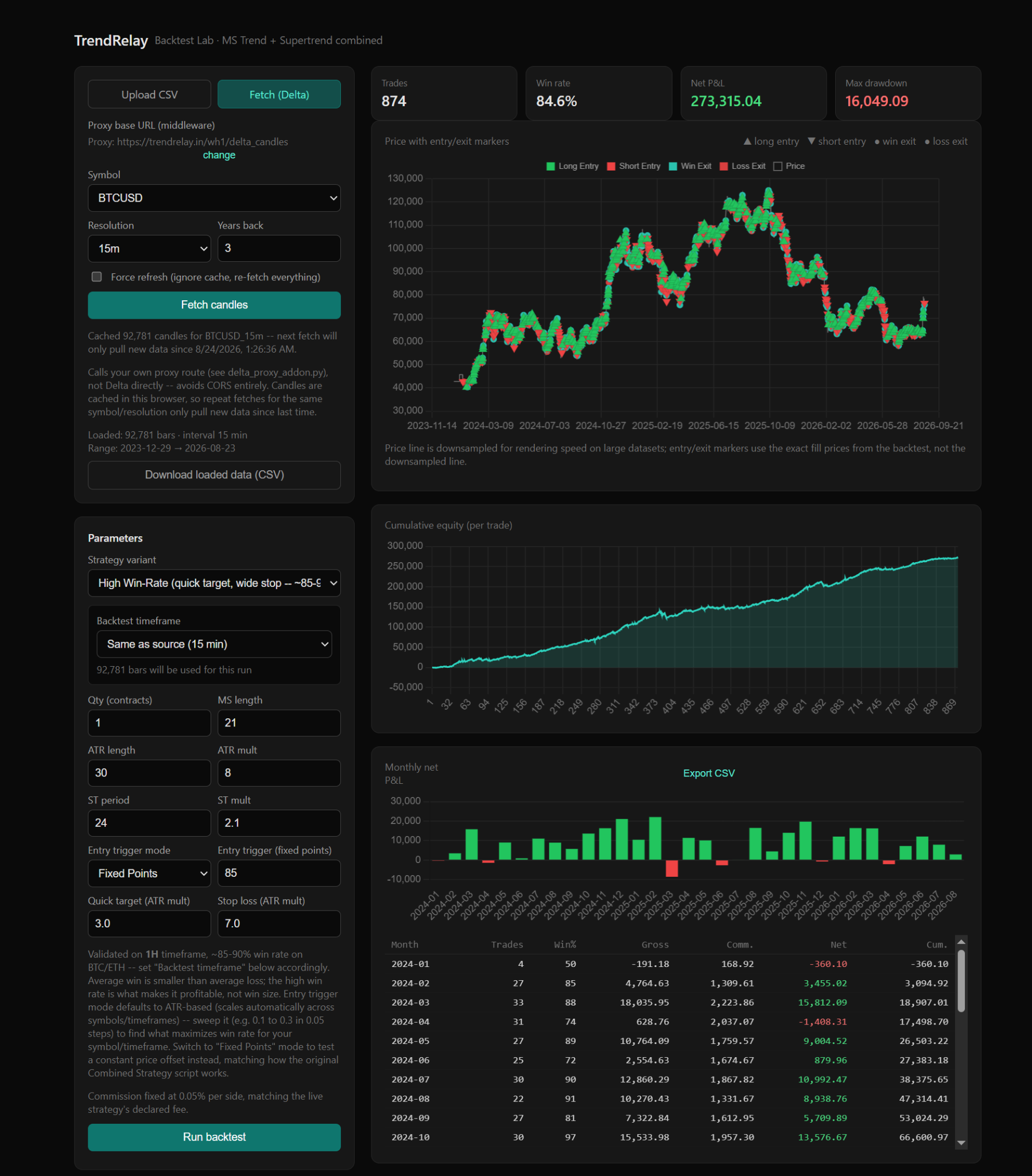
Backtest strategies on historical bars to inspect trades, win rate, equity behavior, drawdown and performance statistics before live execution.
Calculate risk-based position size, stop distance, notional exposure and indicative leverage requirements, with a leverage table showing whether the estimated liquidation move clears your strategy stop.
Configure conditional alerts within the limits of your plan to support strategy monitoring and execution workflows.
A broker-neutral market-data layer separates data entitlement from execution and supports instruments, OHLCV, quotes, reference data and future streaming feeds.
Use TrendRelay for analysis, signals, screeners, alerts and watchlists without connecting an execution broker. Delayed feeds can be clearly identified in the interface.
Build or use predefined momentum, breakout, relative-volume, trend, volatility and index-based screeners from normalized market data.
Attach conditions to screeners and watchlists to surface market events without coupling alerts directly to a broker or order.
Organize markets by index, sector, performance, volume and other available reference-data dimensions.
Future governed AI/MCP workflows can search market data, create screeners, analyze strategies and work through TrendRelay capabilities without unrestricted broker credentials.
TrendRelay's market-data abstraction is designed to support normalized real-time events, reconnection and stale-feed detection as streaming providers are enabled.
WFO is being aligned with the same normalized market-data and canonical backtesting architecture rather than remaining tied to a single broker.
The next TrendRelay architecture puts market data first, so screeners, alerts, watchlists, heat maps and strategy workflows can share the same normalized data foundation.
Start with common market conditions such as momentum, breakout, relative volume, trend and volatility.
Define reusable conditions for your preferred universe and workflow.
Use future governed AI/MCP tools to translate a natural-language idea into a reviewable screener definition.
Turn screener and market conditions into notifications without automatically placing an order.
Track instruments, signals, screener membership and market context in one place.
Filter and visualize supported universes by performance, volume and available market metadata.
The interface is designed around familiar chart workflows, while adding automation and analysis tools around them.
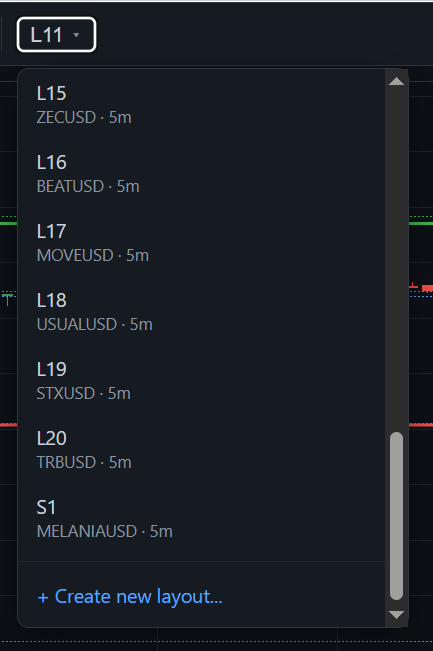
Set up a dedicated chart workspace for the strategy or market you want to trade.
Search and add your preferred instruments to the layout.
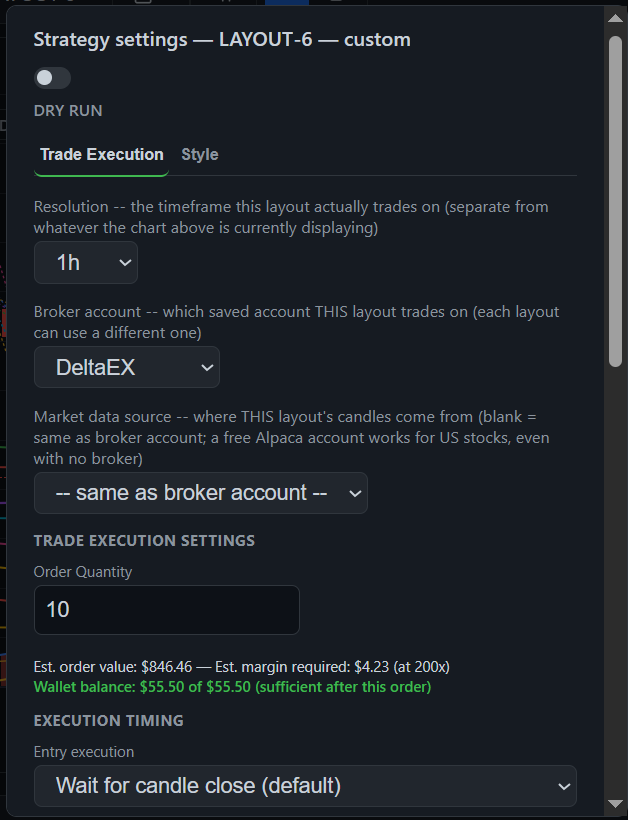
Apply indicators/strategies and define execution settings and risk parameters.
Review historical results or simulate the workflow before sending real orders.
Connect your broker and intentionally enable Live execution for configured real trades.
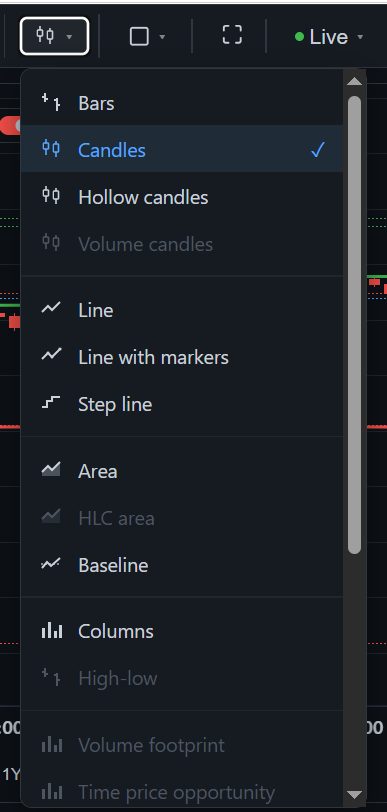
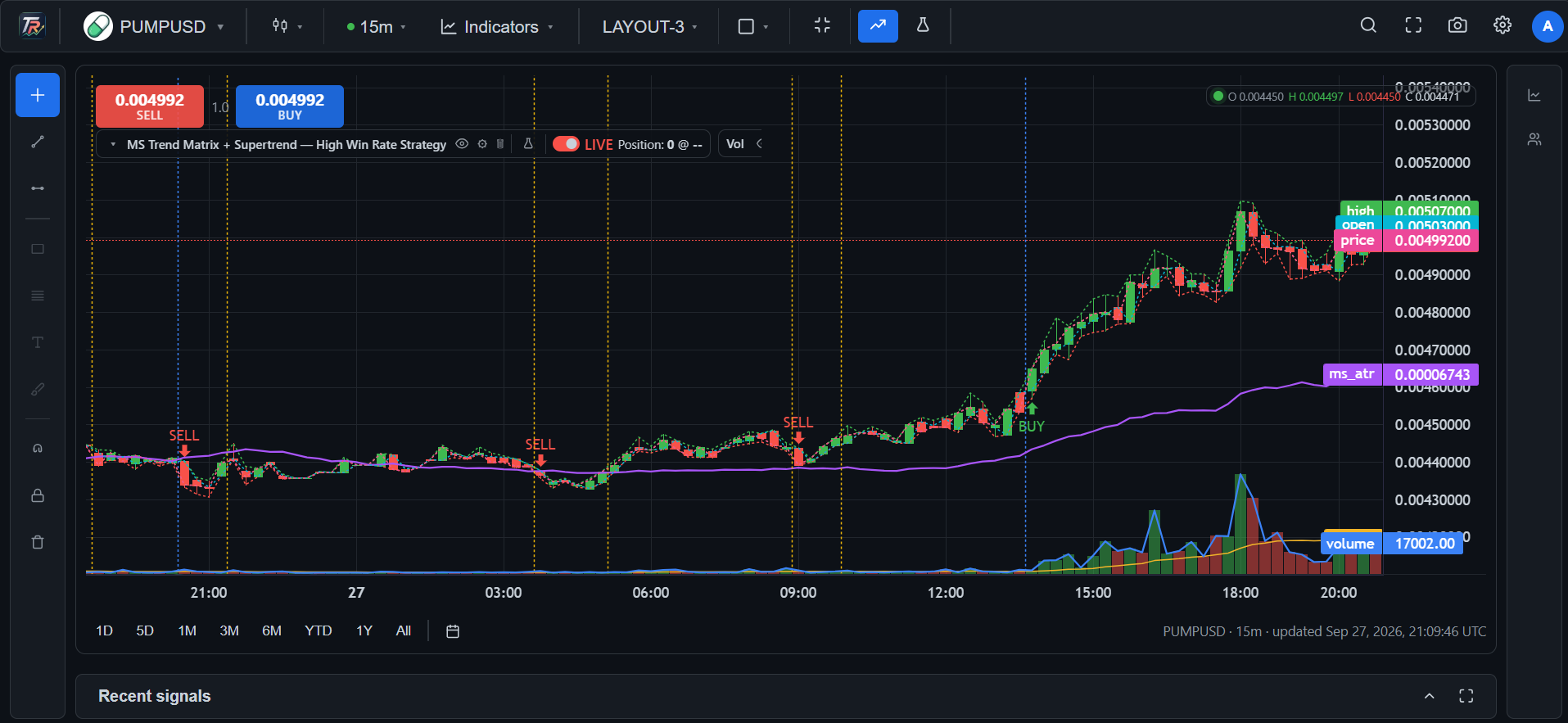
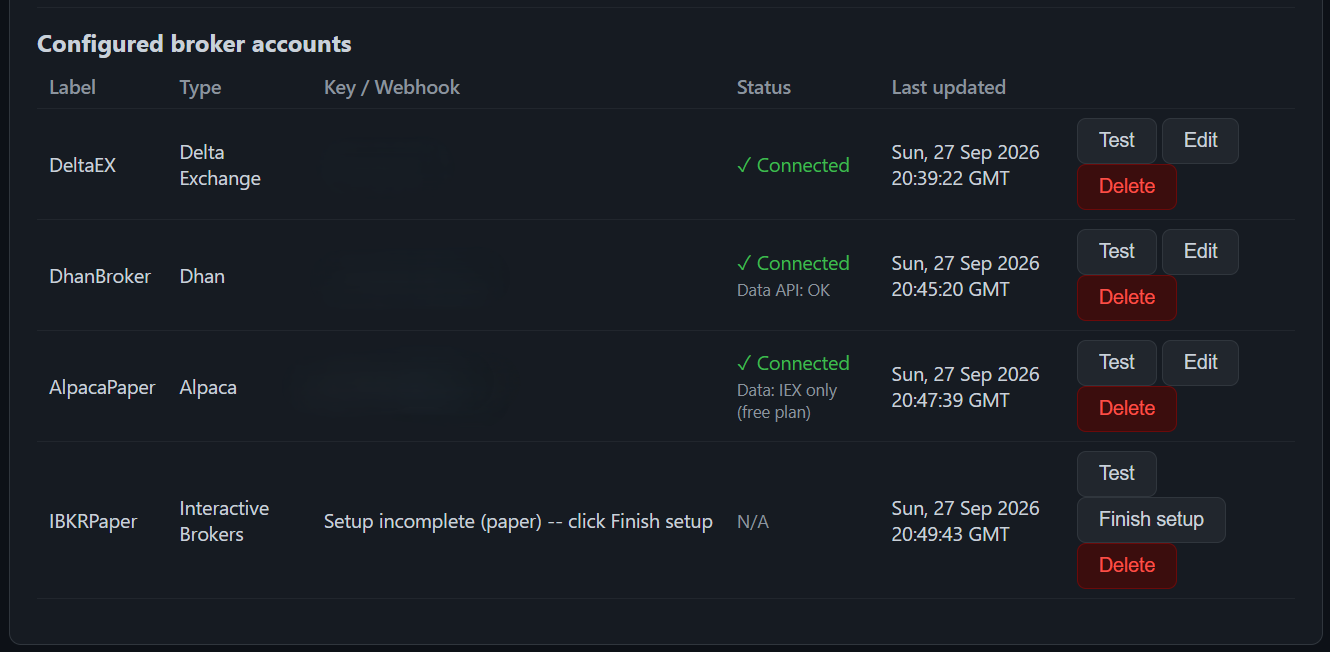
Real TrendRelay workspace views showing multi-chart layouts, layout creation, strategy configuration, execution controls, broker accounts and auto-optimization.
Review historical behavior across supported data, including trades, win rate, equity curve, monthly results and other strategy statistics. Historical performance is not a guarantee of future results.
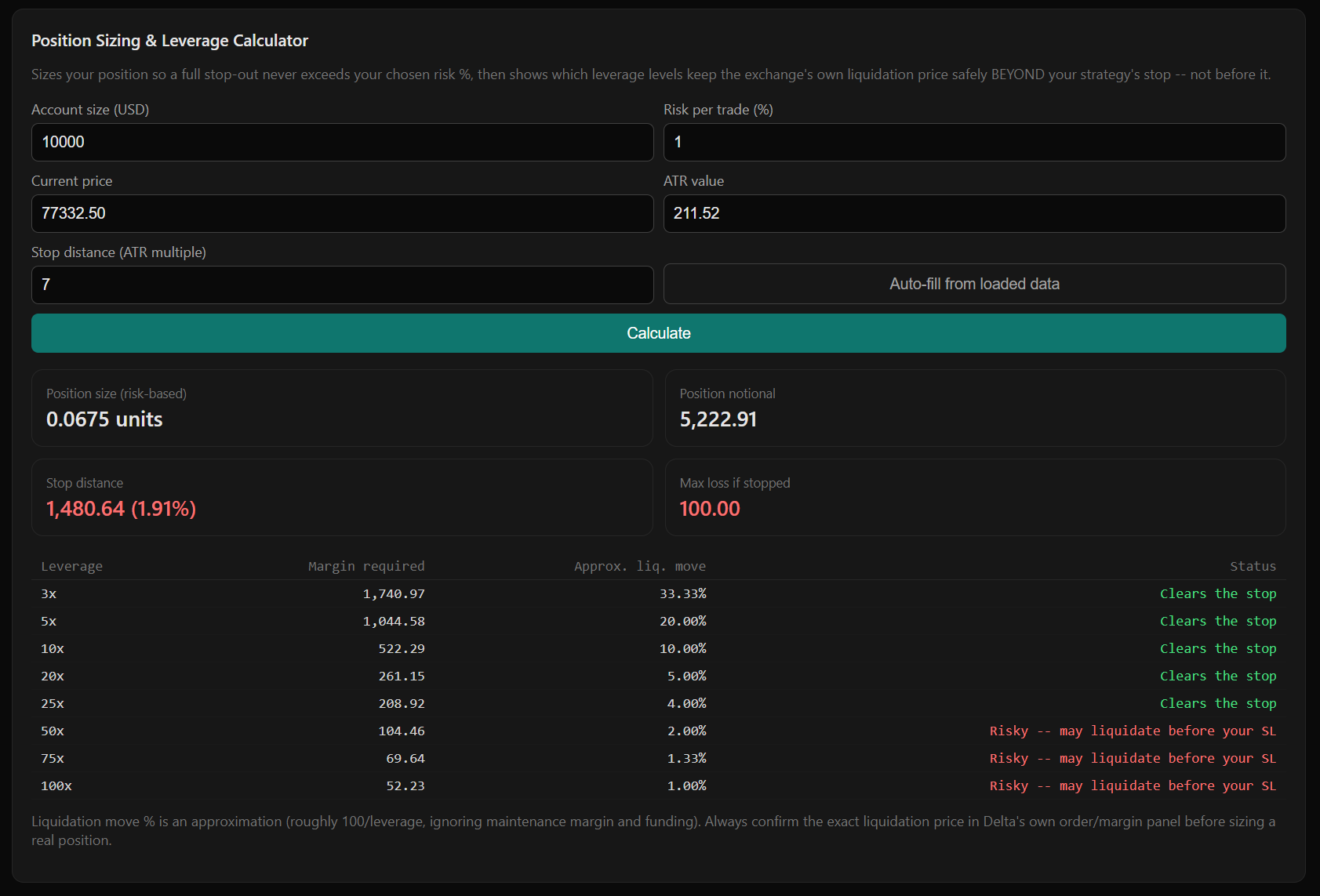
The Position Sizing & Leverage Calculator is designed to help translate account risk and strategy stop distance into a risk-based position size, while comparing indicative leverage levels against the estimated liquidation move.
TrendRelay supports the broker and exchange integrations currently available in the platform. Select a connection to route your configured execution through the account you authorize.



Availability, instruments, permissions and execution capabilities depend on the broker integration and your account. Never grant unnecessary withdrawal permissions to an API key.
TrendRelay separates market-data entitlement from execution. Strategies generate normalized signals, while broker adapters remain optional downstream components.
Instruments, quotes, OHLCV, reference data and future streaming feeds.
Screeners, momentum, watchlists, heat maps and index filtration.
Indicators, rule-based strategies, backtesting and WFO produce normalized signals.
Alerts, notifications and governed MCP/AI capabilities consume the same services.
Only when intentionally enabled, authorized signals can reach a connected broker.
Choose the workspace and execution capacity that fits your workflow. Annual pricing is shown as the effective monthly rate where specified in the plan details.
| Capability | Free Basic | Standard | Pro | Premium |
|---|---|---|---|---|
| Chart layouts | 1 | 4 | 10 | 25 |
| Chart tabs per layout | 1 | Multi-tab | Multi-tab | Multi-tab |
| Indicators / strategies per layout | 1 | 2 | 5 | 10* |
| Symbol trade automation | 1 | 4 | 10 | 25* |
| Broker accounts | 1 | 2 | 4 | 10* |
| Conditional alerts | 1 | 10 | 25 | 25 |
| Backtest history | — | 1 year* | 3 years* | 3 years* |
| Walk-Forward Optimization | — | — | — | ✓ |
| Volume Profile | — | ✓ | ✓ | ✓ |
| Custom timeframes | — | ✓ | ✓ | ✓ |
| Custom range bars | — | ✓ | ✓ | ✓ |
| Auto-optimize execution settings | ✓ | ✓ | ✓ | ✓ |
* Conditions apply. Premium limits and feature availability are subject to the active plan configuration, supported instruments, market-data availability, broker/account permissions, applicable third-party services and platform availability.
TrendRelay provides software for strategy analysis and execution automation. Win rate, backtest results, optimization outputs or the ability to execute while you sleep are not promises of profit or future returns.
Dry Run is for simulation. Live mode can send real orders through a connected broker. You are responsible for confirming the symbol, quantity, leverage, stop-loss, take-profit and strategy configuration before enabling live execution.
Latency, connectivity failures, exchange/broker outages, API limits, rejected orders, partial fills and slippage can affect automated execution.
Historical data, fees, slippage assumptions, parameter selection and overfitting can materially affect results. A historical strategy result may not reproduce in live markets.
TrendRelay is presented as software for analysis and user-directed automation. It does not provide custody, brokerage, personalized investment advice or discretionary portfolio management. Users are responsible for applicable laws, broker rules, exchange requirements and their own eligibility.
Create layouts, test strategies, connect your broker and automate configured execution.
Bring your own trading logic to TrendRelay using its structured JSON format. You can use any AI model or coding assistant of your choice to turn your rules into TrendRelay-compatible JSON, then paste and save the configuration in TrendRelay.
TrendRelay does not provide or require an AI trading bot. Users may use any third-party AI model or coding assistant to generate their own configuration.
Review, validate and backtest imported JSON before enabling signals or automated execution. Third-party generated logic is the user's responsibility.
For automated execution, select one authorized broker account for the strategy. When enabled, configured signals may be transmitted to that account subject to broker, API and regulatory requirements.
TrendRelay is a technology and trading-analysis platform. It provides charting, technical indicators, custom strategy tools, backtesting, alerts and rule-based trading automation. TrendRelay does not provide personalized investment advice, portfolio management or brokerage/custody services.
Buy/Sell signals are automated outputs of configured rules and are not personalized investment recommendations. Users are solely responsible for reviewing strategies, testing configurations and making trading decisions. Trading involves substantial risk and may result in loss of capital. Backtested or simulated results do not guarantee future performance.
Where supported, users may connect their own broker account and select one broker account per strategy for automated execution. Automated trading is subject to broker, exchange, API and applicable regulatory requirements.
Read the full Risk Disclosure, Terms of Service, Privacy Policy and Refund & Cancellation Policy before using the service.
TrendRelay is software for market-data analysis, charting, technical indicators, user-configured strategies, backtesting, alerts and rule-based trading automation. It is not a bank, broker, exchange, custodian, portfolio manager or investment-advisory service.
For payment-provider and other third-party reviews, TrendRelay is presented as a software subscription service. These disclosures do not claim that regulatory, tax, KYC, licensing or payment-provider requirements are waived. Provider approval remains subject to the provider's own review and applicable requirements.
Please review the Risk Disclosure, Terms of Service, Privacy Policy and Refund & Cancellation Policy before using the service.